AutoThresh Pro
Turn any artwork into clean, print-ready threshold art with up to 8 spot colors — in minutes, not hours.
Pro-grade separations
Turn any artwork into clean print-ready threshold art with up to 8 spot colors.
Built-in & custom textures
Built-in texture library plus the ability to import your own signature textures.
DTG & DTF modes
Presets tuned for the way you actually print.
Minutes of work, seconds instead
Batch your way through jobs without manual cleanup.
- Instant digital download
- Perpetual license — 1 user, up to 2 devices
- License key delivered by email
- Lifetime updates
- Email support included
- Version
- 3.0.1
- Works with
- Photoshop 26.9.0+
- License
- Perpetual
AutoThresh Pro now works with Affinity
The Affinity version is a companion app, not a plugin. You install it like any other application on macOS or Windows, and it runs beside Affinity, docked to its window. It works on your open document through Affinity’s own local connection, so your artwork never leaves your computer. Same separations, patterns, distress, Full Color and film export as the Photoshop plugin.
Pick the version you use. Photoshop and Affinity are separate licenses. A Photoshop license won’t activate the Affinity app, so choose Affinity above if that’s where you work.
Set up in three steps
- 1Turn on Affinity’s connection
In Affinity’s Settings, open Model Context Protocol, switch on Enable Affinity MCP and allow File system access. Restart Affinity once.
- 2Install the app
macOS: drag AutoThresh Pro into Applications. Windows: unzip it and run AutoThresh Pro.exe. Approve it the first time it opens.
- 3Activate and separate
Enter your license key and order number in Settings, select your artwork in Affinity and press Start.
Affinity by Canva 3.3 or later (free) · macOS 11+ (Apple Silicon or Intel) or Windows 10/11 64-bit · internet connection to activate
Overview
About AutoThresh Pro
AutoThresh™ Pro: Fast, Pro-Level Separations for Screen Printing, DTG & DTF. Now for Photoshop and Affinity.
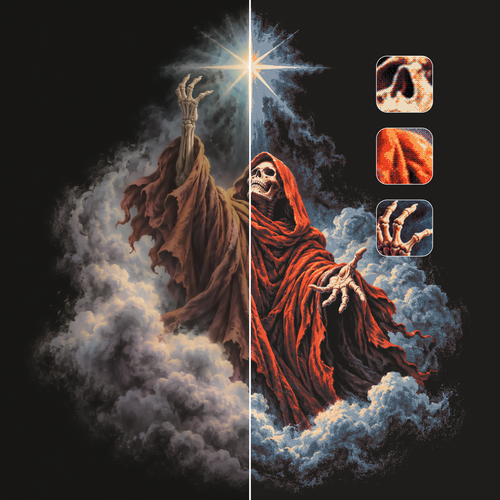
Drag the threshold stops, see the result live, and export print-ready films in minutes. Separate into 2–8 inks with halftones, distress textures, Dodge & Burn and an automatic underbase. Full Color mode makes DTG/DTF files, and presets save every setting. Exports include films with registration marks, a spot-channel PSD and transparent layers.
Choose your version at checkout: Photoshop plugin, or Affinity (Beta) for Mac and Windows. Each license works only with the version you buy.
Version 3.0.1 (Photoshop)
Version 1.0.0 (AFfinity)
Bundle & save
AutoThresh Full Stack
AutoThresh Pro for Photoshop plus AutoThresh Web lifetime access.
Inside the plugin
Explore what’s built in
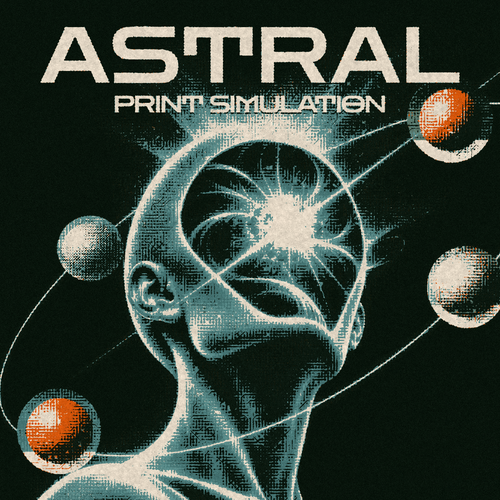
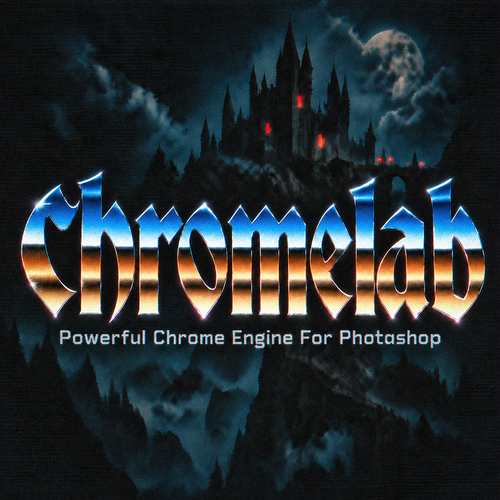
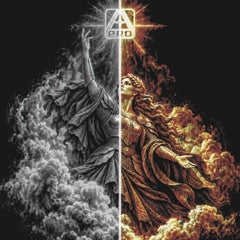
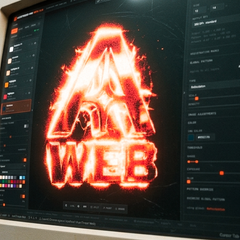
Preview a selection of the 18 patterns and 16 ready-to-use color palettes included with AutoThresh Pro 3.0 — plus the option to save your own.
Pattern library
Halftone 45°
A preview of 4 from 18 built-in patterns.




Color palettes
Full Color
A preview of 4 from 16 built-in color palettes.




What's new in Pro
A total overhaul. Faster, smarter, and built to last.
Algorithm-based processing, redesigned interface, and professional export tools.
What’s new in 3.0.1
Full Color
Keep your artwork’s own color over the tonal bands. Adjust the blend, color strength, and saturation for DTG and DTF.
Screen Print export is disabled while Full Color is on.Shift
Add a drop shadow behind any color. Choose the color, shadow color, angle, and distance in pixels.
Your shadow exports with the separations.Dodge and Burn
Paint detail back in or out. Dodge brings shadow detail back; Burn holds it out.
Press Done before exporting to include your paint in the files.Contrast
Push tones away from the middle or pull them back with Contrast in Tone Adjust.
Zero leaves your image unchanged.Cleaner patterns. Patterns stay on the ink — solid areas no longer get random holes punched through them. The panel’s Help tab covers every new control.
Watch it in action
AutoThresh Pro tutorial
1 user, up to 2 devices · key delivered by email · email support included
Reviews
What customers say
Questions
Frequently asked questions
Do I get 3.0.1 for free if I already own AutoThresh Pro?
Yes — it's free for everyone who already owns AutoThresh Pro. Just re-download the latest version from your account.
Which versions of Photoshop and Affinity are supported?
The Photoshop plugin works with Photoshop 26.9.0 and newer. The Affinity app works with Affinity by Canva 3.3 or later on macOS 11+ and Windows 10/11 (64-bit). We recommend keeping both up to date.
What do I get when I buy?
You get an instant download link and your license key by email. Your license is perpetual for 1 user on up to 2 devices, includes email support, and covers lifetime updates.
How do I install it?
Photoshop: the plugin arrives as a .ccx file. Right-click it and choose Open With › UnifiedPluginInstallerAgent (Adobe's plugin installer, part of the Creative Cloud desktop app), then choose Install. Affinity: turn on Enable Affinity MCP in Affinity’s settings, then install the companion app like any other application. Full steps for both are on our Support page under Install.
Can I use one license for both Photoshop and Affinity?
No. Each version has its own license key, tied to the version you bought. If you bought the wrong one, contact me and I’ll help you switch.
Does AutoThresh Pro work with Affinity?
Yes. AutoThresh Pro for Affinity is a companion app for Affinity by Canva 3.3 or later on macOS and Windows. It installs like a normal application and runs beside Affinity rather than as a plugin inside it. Choose the Affinity version at checkout, since a Photoshop license won’t activate it.
Can I share my license key with someone else?
License keys are tied to individual purchases and are not transferable. Sharing or redistributing license keys is not permitted under our license agreement.
Still have questions? Contact support