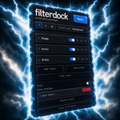
Filter Dock
Keep your Photoshop filters organized and one click away, and stack effects faster.
One-click filter access
Keep Photoshop filters organized and close at hand.
Stack effects faster
Experiment without reopening the Filter Gallery.
Save filter presets
Recall your favorite combinations instantly.
- Instant digital download
- Perpetual license — 1 user, up to 2 devices
- License key delivered by email
- Lifetime updates
- Email support included
- Version
- 1.0.1
- Works with
- Photoshop 23.0 (Photoshop 2022) or newer
- License
- Perpetual
Overview
About Filter Dock
Introducing Filter Dock (previously Filter Forge. We changed the name due to respect another similar design product trademark.)
We’ve all been there. You open Photoshop’s classic Filter Gallery and think the same thing every time:
Why can’t I save presets? Why can’t these just be adjustment layers? Why does this still take so many clicks?
That’s why we built FILTER DOCK.
Filter Dock brings the Filter Gallery right into your Photoshop workspace, with presets, adjustment layer support, and more. Your favorite filters are now faster, easier to use, and always within reach.
Current Build: 1.0.1
Bundle & save
Maximum Productivity
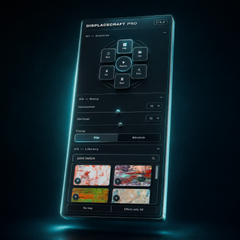
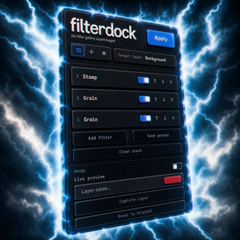
Displacecraft Pro and Filter Dock — the full distortion workflow.
1 user, up to 2 devices · key delivered by email · email support included
Questions
Frequently asked questions
Which Photoshop versions are supported?
Filter Dock works with Photoshop 23.0 (Photoshop 2022) or newer.
What do I get when I buy?
You get an instant download link and your license key by email. Your license is perpetual for 1 user on up to 2 devices, includes email support, and covers lifetime updates.
How do I install it?
Every plugin arrives as a .ccx file. Double-click it and the Creative Cloud desktop app installs it into Photoshop. Full steps are on our Support page under Install.
Do your plugins work with Affinity?
Not at this time — our plugins are built exclusively for Adobe Photoshop.
Can I share my license key with someone else?
License keys are tied to individual purchases and are not transferable. Sharing or redistributing license keys is not permitted under our license agreement.
Still have questions? Contact support